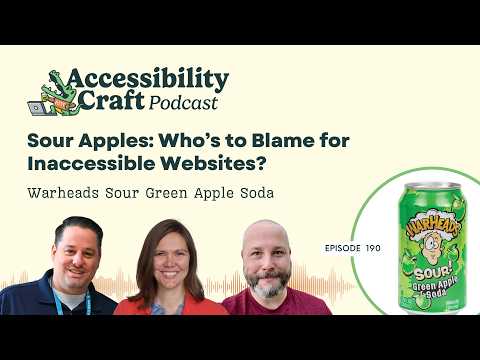
When an inaccessible plugin, theme, or third-party platform creates a barrier on your website, who owns the fix? Amber Hinds, Chris Hinds, and Steve Jones discuss how website owners, agencies, and software vendors share responsibility, and what to do when a provider cannot or will not address a problem.
The conversation starts with a study revisiting state government website accessibility after 20 years, then turns to escalating support requests, choosing replacement tools, documenting client decisions, and making accessibility information easier to find in WordPress marketplaces. The hosts also examine why a website’s accessibility can change after launch and what meaningful ongoing support requires. Along the way, they taste Warheads Sour Green Apple Soda and decide whether the nostalgic candy flavor deserves a thumbs-up.
Episode Outline
- What a 20-year comparison reveals about state government website accessibility.
- How to work with theme, plugin, and platform vendors on accessibility fixes, and when to replace a tool.
- How agencies handle clients who insist on inaccessible features and document those decisions.
- Whether WordPress should require accessible plugins or provide clearer accessibility labels.
- Why permanent accessibility guarantees are difficult, and how monitoring, updates, testing, and training fit together.
Links & Resources
- Twenty Years Later: Measuring the Accessibility of the U.S. State Government Websites
- Warheads Sour Green Apple Soda
- Equalize Digital Accessibility Checker
- GeneratePress
- Gravity Forms
Download Accessibility Checker and use coupon code AccessibilityCraft to save 10% on any plan.
Subscribe for more practical conversations about digital accessibility, WordPress, emerging legal developments, and beverages that inspire unusually serious debate.
Accessibility Craft is hosted by Amber Hinds, Chris Hinds, and Steve Jones. They are experts in digital accessibility and creators of software, courses, and specialized services that have made millions of websites more accessible through their work.
To learn more about us, you can visit our website.
Listen
Watch
Transcript
[00:00:00] Introduction
Chris Hinds: Welcome to Accessibility Craft, where we explore the complex challenges and emerging trends that are shaping digital accessibility, while sipping on unique craft beverages. This show is proudly produced by Equalize Digital, The most trusted name in WordPress accessibility. Join us every week as we break down accessibility news and share the expert strategies we’ve used to help make millions of websites more accessible.
Grab a drink, the show starts now!
Amber: Hey everybody, it’s Amber, and I’m here today with Chris.
Chris: Hey everybody.
Amber: And Steve.
Steve Jones: Hello everyone.
Amber: And this is episode 190 of Accessibility Craft, which means you can find show notes and a full transcript if you go to accessibilitycraft.com/190. I do wanna say, wherever you are listening or watching, please hit that subscribe button or the like button.
Leave us a review on Apple Podcasts. I will say, if you’re on YouTube, we’re getting close to 1,000 subscribers. That could be you. You could be lucky number 1,000, and who knows? Maybe we’ll give away a prize. Hit the button and we’ll find out. All right. Well, now that I have done my official YouTuber thing, apparently I needed to have fingers pointing, like, down or around or whatever.
[00:01:29] Today’s Beverage
Amber: We’re gonna have a beverage. We’ll figure out where it goes, subscribe. But let’s have a beverage to kick us off. What are we drinking, Chris?
Chris: We are doing a bit of a throwback to a candy that most of us ’90s kids are familiar with, which is Warheads. So we have Warheads Sour Green Apple Soda. They promise that it’s going to be the exact right amount of sour, balanced with some sweetness.
Amber: And in case you were worried that they harmed apples in the making of this, it does say 0% juice.
Chris: Mm-hmm. Yep.
Amber: Apples are safe.
Get our daily dose of yellow five and blue one. Those occur in nature, right? Not in Europe they don’t, just in America.
Steve Jones: This must be from the maker. It says, “My flavor-packed sour soda will blow your mind and taste buds away.”
Chris: Extreme, just like ’90s marketing.
Amber: It’s signed Wally. Is that the name of the Warheads little guy that has a crazy sour face expression and his head is exploding? I never knew he had a name. Do you think that’s his name?
Steve Jones: Probably. Let’s…
Chris: I don’t know. I’m…
Amber: I am already in the land of I think I’m gonna thumbs down it before I even open it, because you guys know me and soda and fake stuff.
Chris: Come on with a color…
Amber: Oh…
Chris: Like this, you gotta give…
Amber: Chris brought a pint glass.
Chris: Yeah, we’re getting fancy here.
Amber: Don’t pour… Don’t let it foam up over the top.
Steve Jones: Ooh.
Chris: No.
Amber: It’s not as green as it could’ve been.
Chris: Yeah.
Amber: Describe it.
Chris: It looks greener to my eyes than to my camera, but, it’s a, it is beyond green. It kind of looks like antifreeze, for our…
Steve Jones: Antifreeze, it’s not that green.
Chris: Yeah.
Steve Jones: You….
Chris: Yeah, maybe antifreeze is a little more green than that.
Steve Jones: You remember, like, Surge? Like pop Co-
Chris: Yeah, yeah.
Amber: No. What’s that?
Steve Jones: It was made by Coke, I think, in the ’90s. It was just called Surge, and it was like, you know, had a lot of caffeine, but it was like green like that.
Amber: Yeah, it’s like the green to Mountain Dew’s yellow.
Steve Jones: Yeah.
Amber: Does… It, okay, it doesn’t smell bad.
Steve Jones: It smells good.
Chris: Ooh.
Amber: Chris made a face.
Steve Jones: Did he make?
Amber: All right, I’m gonna drink it.
Chris: It’s sour.
Steve Jones: We now need the extreme close-up face reactions. Here we go.
Chris: Hmm.
Steve Jones: It’s not…
Amber: I don’t know what to say about this. It’s like in the weird place of it’s not terrible, and it’s not really great. And so you’re kind of like, I’m not sure what commentary.
Chris: Yeah, you’re actually pretty spot on with that. I’m like, if there was a, if there was a middle of the road, this would be like splitting it down to the micron for me. It’s like, not so, not overly sour to where it’s offensive, not overly sweet to where I’m like, whoa, you know, I’m gonna get thrown into a diabetic coma. Not like really super apple-y. I mean, I get the apple, don’t get me wrong. It’s like one note done. It’s fine. I don’t know, what-
Steve Jones: It’s very carb- there’s a lot of carbonation in it.
Amber: It’s… more fizzy than a normal pop, isn’t it?
Steve Jones: Mm-hmm.
Chris: Yeah, it’s heavier on the bubbles.
Amber: Leaves the sour feeling taste in your mouth.
Steve Jones: Yeah.
Amber: I haven’t had a Warhead since I was probably in elementary school. So I have no idea of how this compares to the, eating an actual Warhead.
Steve Jones: I think, I think real Warheads are more sour than this.
Chris: Mm-hmm.
Amber: Okay.
Steve Jones: Yeah.
Amber: I mean, it’s probably harder to make a beverage sour because I think part of how they make candy sour is with citric acid powder, and they just, like…
Steve Jones: Yeah.
Amber: Coat the candy with the powder. But I’m guessing you can’t really do that when it’s a liquid. The liquid, like, washes away the sour. Yeah.
Steve Jones: We had a, we had a party here at the house, and I guess this case of pop that Chris sent for this was, like, just sitting out on the counter. And all of a sudden I looked over and I saw people drinking it, and I’m like, “Oh.” And, like, it…
Amber: Better put one away?
Steve Jones: It’s like family, and it was like, you know, some elderly people having, like, “That might be a little sour.”
And then they’re like, “No, it’s good.” I’m like, “Okay.”
Amber: They liked it?
Steve Jones: Yeah they drank it.
Amber: Our kids have been drinking it. I think they like it.
Chris: Yeah.
Amber: Yeah.
Chris: Hmm.
Amber: I’m trying to, like… It’s hard for me to imagine. I’m sitting here being like, when would I drink a pop that has this kind of fla- okay, yes, I don’t drink a lot of pop, period. But, like, I’m trying to think, like, is there a scenario where I’d be like, “I really wanna have a sour soda”?
Like, is there a food that I could pair it with or a scenario? Like, I don’t know.
Steve Jones: A podcast episode. Yeah, so- yeah, something.
Amber: I was sitting here thinking like, could you have it with salty popcorn and it, like, while you’re watching a movie? I don’t know. Or is it more of, like, a dessert beverage and you gotta have it at dessert time?
Steve Jones: Yeah.
Amber: Chef, what do we pair this beverage with?
Chris: The drain in the sink? I don’t know.
Amber: Were pairing it with Halloween candy.
Steve Jones: Yeah.
Chris: It’s not that horrible. You know, like, I can’t think of a food that I would put this with, but I could totally see two things. First one is on, like, the, you know, the younger generation side, like doing some kind of crazy dirty soda with it, I think. You know, ’cause it’s, like, neon green and, you know, they do all the stuff with the colors and the different elements, like whipped cream and whatever else, different syrups. I could see that being really interesting to look at, and maybe not offensive as far as taste.
And then the other one is, like, I don’t know, you give, like, a really skilled bartender a case of this and ask him to go nuts. Maybe they would come up with a interesting cocktail. But no, I don’t think I’m having this with food.
Steve Jones: That’s the adult answer. Pour alcohol into it.
Amber: Well, we do have to give it, it has no caffeine, so if you’re giving it to your kids, you can feel slightly better about that. It has real sugar, not high fructose corn syrup. So the only really bad part about it is that, food coloring that comes from, I don’t even wanna know.
Chris: Yeah.
Amber: Gasoline or something. Fossil fuels.
Chris: Well, I’ll lead. I’m… like it’s a middle of the road beverage, I’m kind of a thumbs in the middle. Like, I’m not so offended by it that I wouldn’t continue to sip on it, but it’s definitely never gonna be something I come back to, I don’t think.
Steve Jones: Yeah, yeah. Think I’ll look at it from two, places. As an adult, it’s a little too sweet for me, like, but it’s fun. And, as a teenager I could definitely see myself pulling this out of the cabinet at the convenience store and, having this with, you know, a candy bar or something like.
So I think it ta- I think it’s fine. I think it’s fun. It’s bubbly. I give it a thumb, one thumbs up.
Amber: Okay. Yeah, I’m kinda… I think I’m with Chris. I’m in the middle. I could see us buying it for our kids again maybe, but I don’t know if I would be like… Like, we have extra in the fridge. I’m probably not gonna drink another one. But we’ve had other drinks where as soon as the drink segment ended, I was done, and then I just went to the kitchen and poured it out.
I might sip a little bit while we chat.
Steve Jones: Yeah.
Amber: So yeah.
Steve Jones: As the topic gets more sour, we’ll take more drinks, right?
Amber: To try and balance it out?
Steve Jones: Yeah.
Chris: Mm-hmm.
[00:09:41] State government accessibility: 20 years later
Amber: So on the note of things that leave a sour taste in your mouth, I saw a very interesting study that was from Georgia College and State University where they had done the study earlier this year, right before what was supposed to be the original ADA Title II deadline in April and right after. But they only just recently published the study on the web.
And what they did was they had, I guess 20 years ago, in 2005, there was a study that analyzed the accessibility of state government websites. And so they went and did the same thing where they assessed the homepages for all 50 states and the District of Columbia. They only did it with automated testing tools.
They used two different tools, which I thought was interesting, the Axe browser extension, and then they also used a Python program as a checker. I don’t know if that’s custom. I’ve never heard of a Python-based checker, but so they wrote their own maybe, or they found one that was out there, so they’d have multiple.
And they used that to compare, have the homepages of the states gotten better or worse in 20 years with this deadline looming? And does anybody want to, give the drum roll and say? I’ll give the drum roll. Who wants to answer the question, did they get better or worse?
Chris: Wah, sour. Take a drink. Yeah.
Amber: Sour things.
Chris: It got worse. So the…
Amber: Sad.
Chris: Currently is, it went from, it went from 30%, roughly, like one-third, did not meeting to 86.27% not meeting. That’s pretty sour.
Amber: And this is basic automated scan accessibility issues. It’s not even, like, the really complicated did your folks order match? Right? Like, it’s, like, things, like empty buttons or color contrast, right? Declaring a language attribute.
Steve Jones: N- so only nine of the 51.
Amber: Actually had no problems.
Steve Jones: Yeah, yeah.
Amber: Right. Yeah. I guess we could, we’ll link this in the show notes if people wanna check out the study, and if you click over from their website to download the PDF, there’s a table. We can say congratulations to Alabama, Connecticut, Florida, Hawaii, Massachusetts, Missouri, New York, and North Carolina.
Those states actually had no automated issues that were detected.
Steve Jones: That’s very interesting. Like, that’s not the states that you would, you would think, right? Like, these are, like, kind of like southern states.
Amber: Well, it’s a mix. New York and Massachusetts, I’m like, okay. But Alabama?
Steve Jones: South Carolina. Would you say South Carolina? Was that or…
Amber: That, yeah, I think South Carolina was one of them.
Steve Jones: Yeah, that’s kind of interesting.
Chris: Yeah.
Amber: Yeah.
Chris: Yeah, so shout out in a negative sour kind of way to, I think Montana was the one that had the worst performance, on the list.
Amber: They might also have the lowest budget for their state website because they have the fewest number of people paying taxes. I don’t know if there’s a correlation there, but I would assume, like, don’t they… Isn’t that the least populated state in the United States, Montana?
Chris: I thought that was Wyoming.
Steve Jones: But does…
Amber: I don’t know.
Steve Jones: The impacted populations too? Like, if it’s…
Chris: Mm-hmm.
Steve Jones: If it’s less.
Chris: Yeah.
Steve Jones: That’s interesting.
Amber: I don’t know though too because they might have… I know in Wyoming, when we lived in Wyoming, it was very rural.
Steve Jones: Mm-hmm.
Amber: There was, it was also like an older population because a lot of the young people left the state to go to college and got jobs and didn’t always come back. And so they might have actually had a higher percent of people that needed accessibility features on websites. Steve, I’m curious, do you think that the reason why these got worse is a, they haven’t tried out accessibility or was it likely that they were going to get worse because the way the internet is built has changed so much since 2005?
Steve Jones: Well, I think multiple things are hap- happening over the last 20 years, right? Like, sure, the internet’s expanding. The, what is on a website is changing, right? Like, 20 years ago, you’re not gonna find tons of sliders and dynamic content and stuff like that, right? Where you will now. And 20 years ago, you know, WordPress was, you know…
We talk a lot about WordPress, but C- CS- CMSs were in their infancy as well, right? And I would assume that…
Amber: Fewer people could edit the website, is what you’re saying?
Steve Jones: Yeah, yeah. Yeah. I think that, like, accessibility evaluations have grown over time, too. I think that we’ve gotten better at finding things. We’ve kind of, you know, nailed down, the guidelines have been refined over time, you know.
So, like, I think all the things are kind of changing, expanding, and moving over time. And unfortunately, you know, things have kind of moved in the wrong direction for compliance on these sites. But, you know, I think as complexity of a website changes, of course, the care that you should take in make- making sure it’s accessible should change.
[00:15:26] Who owns third-party accessibility problems?
Amber: Yeah. So I think this is maybe a kind of good, decent pivot to one of the things that I wanted us to talk about today because very recently Chris and I did a ADA Title II webinar. And, w- and I know, Chris, you have a lot of conversations with people, and I do as well with our clients about all these third-party platforms that a lot of these government websites are relying on.
Like, they’re not fully coding everything. And even in WordPress too, right, not fully coding a lot of websites or a lot of functionality on the website. We’re using a theme to start from, or we’re using third-party plugins for the calendar or for the cart checkout process or whatever it might be. And I think a question that comes up a lot when we’re giving these webinars or talking to people is, okay, well, whose problem is this?
If it’s not my code, am I s- responsible for fixing it? I think, you know, like looking at these state websites, I don’t think that’s any different. I’m sure they have all kinds of like different vendor-provided features on them.
Chris: Yeah. Including vendors who, may have misrepresented in their sales or marketing materials just how accessible their platforms are. Because we’ve even seen that and discussed that in prior episodes, right? Like the one about filing an ADA grievance with our city here in Georgetown, and what that process was like.
Amber: Yeah, what is that, CivicPlus?
Chris: Yeah, yeah,
Amber: If you’re listening to this, they are not going to guarantee your website is accessible.
Steve Jones: Oof, that’s sour.
Chris: No. That’s pretty sour.
Amber: Want to take another drink to that one?
Steve Jones: It’s a sour take.
Chris: I mean, whose problem is it, you know? I think I even alluded to this a bit on the webinar we just did, which is, if you have a third-party provider who’s promised or, you know, said they’ve, that they’re supposed to be delivering you an accessible solution, but then you turn around and you’ve validated that it isn’t that way, you can try to make it their problem by raising support requests and, you know, complaining, have you, that relationship or whatever obligations or warranties they may have had, try to make it their problem.
But it is still also your problem, ultimately at the end of the day.
So it’s kind of a, in a sense, a shared problem, which I think a lot of people don’t wanna hear. Like, they want to be able to offload that responsibility, completely. But the reality is, at least based on everything I’ve read talking to and listening to many, many attorneys speak, is the law very much places the final blame and obligation with the owner and operator of the website. Whoever is, whoever’s paying the bill to make that website a reality is gonna be the one who is blamed.
Steve Jones: Yeah, I think we see this a lot. You know, we, know, we create an accessibility checking plugin, and of course we will get support questions from time to time that will question that, right? Say, “Hey, n- the accessibility checker is finding these issues. This is in like a chat widget,” or you know, “This is in a plugin that somebody made that’s outputting on the website. Do I really have to fix that?”
And we had to answer that question a lot, and the answer is pretty simple, and I think it’s yes. But it, there’s complexity in that as well, right? Like, how if they’ve already adopted it, it’s already on the website, they can’t just rip it out, right? Like, you know, there’s steps that you can take to kind of escalate that with the plugin author.
And I think that being a plugin author, I think too that we need to be receptive to that, and we need to be appreciative of people surfacing those things if we’ve overlooked them. And I think if you’re looking for mass adoption of your software as well, you should take care that you’re, you are meeting these… Just the same as we would, we take care to make a plugin secure and safe to use, we should make it accessible to use as well, because don’t know the customer that’s buying that if they have legal requirements or not. And, so it kind of becomes a cyclical thing, you know? And y- there’s a lot of communication, and I think there’s definitely a point to which you have to the solution and move on to something else.
Chris: Mm-hmm.
Amber: Yeah. Let’s dive into that a little bit more, but first let’s take a commercial break.
[00:20:14] Brought to you by Accessibility Checker
Steve Jones: This episode of Accessibility Craft is sponsored by Equalize Digital Accessibility Checker, the WordPress plugin that helps you find accessibility problems before you hit publish. Thousands of businesses, nonprofits, universities, and government agencies around the world trust Accessibility Checker to help their teams find, fix, and prevent accessibility problems on an ongoing basis.
New to accessibility? Equalize Digital Accessibility Checker is here to teach you every step of the way, whether you’re a content creator or a developer, our detailed documentation guides you through fixing accessibility issues. Never lose track of accessibility again with real time scans each time you save, powerful reports inside the WordPress dashboard, and a front end view to help you track down hard to find issues.
Scan unlimited posts and pages with Accessibility Checker Free. Upgrade to Accessibility Checker Pro to scan your website in bulk, whether it has 10 pages or 10,000. Download Accessibility Checker today at EqualizeDigital.com/Accessibility-Checker. Use coupon code AccessibilityCraft to save 10% on any plan.
[00:21:28] When to fix or replace an inaccessible tool
Amber: Okay, we’re back. What do you think the line is, Steve? You’re saying sometimes you just have to remove the plugin or the third-party tool. Maybe it’s not even a plugin, it’s like a separate vendor platform or website that they go to to do something. Where’s the line? Like, when do you decide not to keep something?
Steve Jones: Yeah. So the scenario here is that you already have a solution on your website. It would be problematic to remove it. We will talk about, in a minute, we will talk about the other scenario, making these decisions before it makes it to your, website. But, in this case, if tool such as ours identifies a problem and it’s in a plugin, a page b- builder, you know, you know, a form plugin, you name it, right? The first step we like to take is we like to, you’ve bought a premium plugin, you have support. Contact that support. W- if we have a license, for that, sometimes we will do that on the customer’s behalf, and we will escalate it ourselves as an accessibility company that advocates for accessibility and has a mission to make everything to try to get them to do it.
And in a lot of cases, I mean, most cases, people are very receptive to it and actually very appreciative that they’re getting free consulting, from a company such as ours, on what to fix and how to fix it and what the best solution is. And if they go through and they, and they patch it and the next release it’s out, that’s a win for not just our customer or for you using this plugin. It’s for everybody using that plugin. And so this helps not just solve one person’s problem, but it solves all the people using the plugin.
But if you run into barriers where they won’t fix it or they say they… Now, we’ve had it where they’re like, “Yeah, I’ll fix this,” and then they don’t, right? Like, goes into their, into their backlog and sits. And, like, I have some grace there because, you know, we create software ourselves. Backlog gets big. You know, not everything, not everything can be a high priority, right?
Chris: Mm-hmm.
Steve Jones: And even high priority, all the things in high priority or, fight for attention themselves. So I have a little bit of grace, but at some point in time, you realize that it’s just not gonna be fixed. And I think that if you are required to have a certain level of compliance, you need to make dec- the decision and side on the side of compliance and remove that solution seek out help for, you know, some consulting for a new solution or a developer to help you make something custom.
Chris: Yeah. And to that end of custom things from a developer, I think another thing that I wanna shout out is if you’re, if you’re discovering issues via a checker in your theme or your plugins, you know, reaching out to them, they may also, rather than just, like, have that sit in a backlog or release a patch for it, they may actually be able to advise you on where an existing option or configuration or code snippet exists that you can use and plug in to address that particular issue, because you may not be the first person that’s reached out about it, and maybe they have something that can help you along that doesn’t even require you necessarily to wait on them. I know we’ve seen that before too, where someone will give us a way or advice on how to modify something to quickly patch, if we need to. Not guaranteeing that’ll happen 100% of the time, but it’s another avenue that can, that can expose itself.
Amber: Yeah. Well, so I’ll say to not be sour, we could actually shout out because this ac- this did just happen very recently. We’re remediating a website for, the city of Rockford Township in Illinois, and it was built by someone who used the free GeneratePress theme, so not even a premium theme. And there were some issues with the navigation menu that we identified, and we talked about it and we’re like, “Well, we could try and patch this.”
Like, Steve, I think you were like, “Well, we could write JavaScript,” but we decided, well, let’s try and reach out to Tom, the developer, first. And I think within a week he had a patch. Now, he hasn’t released it yet because he’s working on other things and he has a release schedule, but he gave us an alpha version that, our developer William ran a diff on and then we tested it to make sure that, one, it solved the problem, and two, it didn’t l- have any partially completed work in it , which it didn’t.
And so we were able to actually put that alpha version on the city’s website, which fixed it even though he’s saying it might be a month or two before he gets the actual release out to everyone. But I’m like, that’s really awesome of him that he was willing to say, “Oh, what you said is important. I’m not ready yet to release this, but here’s a problem showing I fixed it. Here’s a fix that you can just put on your website right now.”
Steve Jones: Yeah.
Amber: I really appreciated that.
Steve Jones: Yeah, and I will just put a little asterisk too on all of this is that, there are legitimate cases where a fix, is not able to be applied, and that kind of puts the developer in a tough place, and that puts you as somebody that needs to meet, accessibility compliance in a tough place as well.
Amber: Backwards compatibility.
Steve Jones: Yeah, backwards compatibility or breaking changes. Like, you know, changes in page builders are probably some of the most complicated because, you know, if you change a… If you change the semantics of a certain component in a page builder, you have no idea what any of the thousands of websites using that are targeting that with custom code or custom CSS. So, backwards compatibil- bility and just breaking changes a lot of times is what, w- what a blocker is there, yeah.
Chris: Yeah, and I’m pretty sure we’ve lived through that on our own website where a block library released breaking changes that broke a bunch of stuff on EqualizeDigital.com that we had to then scramble and fix. And because they changed the semantics and it, they changed stuff that we were hooking into, right?
Steve Jones: Yeah. That’s why you’ll see a lot of, like, page builders specifically will actually, m- major versions, they’re, they will actually, like, y- you know, I don’t know, Divi 1, right, is separate from Divi 2, right? It’s literally a breaking change and, or, you know, they have it called Classic or something, you know? it’s in an effort not to break all those people’s websites. They can update to that other version, fix all the things, and then, you know, release it themselves breaking everything. But th- like I said, that’s a little bit of a disclaimer. If a plugin developer or theme developer even, you know, core, contributors refuse to fix a thing, there may be a legitimate reason why.
Amber: For them being hesitant to make the change does not mean you can continue using…
Steve Jones: Right.
Amber: And having that problem present on the website if you have to comply with these laws.
Chris: I know hearing that…
Amber: So…
Chris: … might leave a sour taste in some people’s mouth, but it’s the truth.
Amber: You guys, we are nerds, but we have so much fun on this podcast, and I hope you do too, and I hope if you didn’t already, you hit that like and subscribe button.
Steve Jones: Yeah.
Amber: And now I really am a YouTuber because I added it right in the middle.
Chris: She’s got one in the middle too.
Amber: All right.
Chris: You can’t escape it.
[00:28:48] When clients insist on inaccessible choices
Amber: Obviously, there is a line where it’s your website, you have to take responsibility, you have to choose vendor platforms or tools or plugins that are going to meet the requirement. Where does this sit for agencies who build websites for clients, and maybe their client has selected a plugin and the client isn’t just sold on, “No, that has accessibility problems”?
Like, do you think they should just straight up refuse and say, “I’m not installing that for you. After the website is built, if you wanna put it on, you can,” or should they just go along with the client?
Chris: That’s a, that’s a hard one because I know a lot of agencies would feel a certain level of economic pressure kinda cow to whatever is being demanded of them. But I find it hard to believe I guess fundamentally, that anything inaccessible that a small business or an organization would insist on having on their website wouldn’t have an accessible equivalent that could either be inserted or built. And at that point, I think you’re kind of more so in a power struggle around ethics than you are in an actual, you know, solution mindset at that point.
It’s like you have the client who’s like, “No, I want it my way I’m the one who knows everything, and you’re my, you know, you’re supposed to be my order taker.” And if the, if the, if that dynamic gets upset, that can create an awkward situation. And it can be hard to navigate that. I know that and I, and Steve too, like we’ve had situations similar to that where a customer has insisted on something that we thought to ourselves was stupid, like literally that word.
And, maybe we found a gentler way to surface that with the customer, and sometimes we’re able to convince them, sometimes we weren’t. And it’s a hard thing to deal with.
Steve Jones: Yeah, I mean, you wouldn’t install a plugin that you knew that was not secure, right? And quite frankly, there’s not a lot of laws that require your website to be secure. Like, there are…
Amber: I don’t know though. Maybe people would install that one.
Steve Jones: Yeah.
Amber: They’d just be like, “Oh, the client asked.” Should I tell a real story about this?
Steve Jones: Let’s do it. Story time with Amber Hinds.
Chris: Yeah, yeah.
Amber: We have a legacy website client that brought in a marketing person, and now all they do is come to us just for dev support. They were never an accessibility client, never super into accessibility, but we would do what we could. And their, all of their lead forms that they pay to run AdWords ads to were built with Gravity Forms, which is very accessible.
And, also, you know, on the page, so super easy to tell AdWords the conversion happened, which is very important, right? And this new marketing person got them up using the Monday.com CRM, and they’re like, “We’re gonna replace all of the Gravity Forms lead forms with Monday form embeds,” which are just iframes.
So my initial thing was I just said, “Okay, how about if we put it on a test page, not a live page, and we have Maria, our accessibility specialist, test it?” So she tested it. She came back with a list of, I don’t… I wanna say, like, 10 or 15 problems that are failures.
Chris: On one form.
Amber: Mm-hmm.
Chris: Wow.
Amber: Then, and then I said, “Okay, also have…”
So I then asked them when they’re like, “Let’s just make it live,” I was like, “Okay, I need in writing from the business owner, not the marketing person that has only recently started.” I was like, “I want in writing from them that you have read the accessibility problems and you’re okay with us doing it.” and so that is what they did.
Like, they said in writing that they wanted to move forward, but it still hasn’t gone live yet because I also said, “By the way, have you tested to make sure that it’s tracking conversions to your AdWords?” And it’s not.
Steve Jones: Yeah.
Amber: And it’s like you can’t replace a form that actually communicates back to AdWords with one that doesn’t. So now that has to be figured out, but I’m like, “Well, at least I’ve delayed the inaccessibility.” I found something else. I don’t know. It is really hard, right? Because if you straight up say no, and they really wanna do it, they’re just gonna find someone else to do it.
Steve Jones: Yeah, yeah. I mean, I think we had that exact scenario, and it’s kinda like one of those, you know, put your money where your mouth is, right, times. We had a… I believe we had a client we had done a website for, they had come back with a redesign or s- I think it was a redesign, and somebody had already made designs.
And I think Amber and I reviewed them, and we had a lot of feedback, like from an accessibility, like, “This is not gonna be accessible. This is not gonna be accessible.” We met with the client and I think…
Amber: Oh, yeah.
Steve Jones: I think the verbal wording was, know that, you know, when he, we brought up accessibility, I think the, if I was to quote it, it was like, “I know that’s your thing, but, w- we…” I don’t wanna
Amber: Didn’t he used to work at Adobe? Oh my gosh, I totally forgot about this.
Steve Jones: Yeah, yeah.
Amber: This was… Thank goodness it was paid discovery. They came with Figma files and we’re like, “Let’s do a paid discovery project.” We spent a bunch of time reviewing them, scoping it, and writing a bunch of comments, right?
Steve Jones: Yeah.
Amber: Then we get on, and what did he say?
Steve Jones: Yeah, I mean, it was something like, “I know accessibility’s your thing, but it’s not our thing.” Like, it was kinda like a…
Amber: He’s like, yeah. He’s like… And I’m pretty sure he said, “And I used to work at Adobe and we never did accessibility there,” which is total BS. Like, so I was like, “Okay, whatever dude that just got hired as director of marketing for this big…” It’s a very large tech company.
Chris: Saying something is fine does not make it fine.
Amber: Yeah. Well, and then he tried to pull the whole, “I worked at a very large…
Steve Jones: Yeah, yeah.
Amber: “Com-” And I was just like, “You don’t even know what you’re talking about. Have you noticed there’s, like, a whole accessibility department, and they, like, write accessibility conformance reports? Like, I don’t know what you’re saying.”
Steve Jones: But then the money part of that is we didn’t get to work, right? Like…
Amber: yeah, because we told them that we didn’t think that it made sense to build it the way that it was designed. And so he went and found somebody who would.
Steve Jones: Yep. But I think to circle back to, like, times where your hand is forced, like, and I know that that’s happened to us, you know, correct me if I’m wrong, Chris, but I’m pretty sure that in those instances where we are kind of forced to use a solution that may be questionable, we do try to get that in writing.
Chris: Every time, yes. We– There was a period of time, a short period of time where we thought we wanted to have them actually sign something, but subsequently we’ve gone just one step above that, which is just they have to, timestamped with their name and, you know, in a system where we have it saved forever in a time-bound way.
They just have to say, like, you know, in conjunction with whatever warning we gave about it, have to say, “I acknowledge and accept that.” And that’s enough for us versus making them sign a waiver or something. Just have to have it on record. And we– And that’s usually a last resort after we’ve pushed fairly hard professionally in almost every instance to be like, “This is a bad decision,” right? Objectively.
Steve Jones: Because w- we’ve even discussed on this podcast, lawsuits where the developer was actually found liable of certain inaccessible things. So…
Amber: Yeah.
Steve Jones: Not saying that would happen, but I’m just saying you want to make sure that, you know, if you’re asked to compromise, that you’re covering yourself from a legal standpoint.
Amber: CYA.
Steve Jones: Yep.
Amber: So I know we’ll accept, like, a Basecamp comment, but because people can delete their comments in Basecamp, what I do is I put the Basecamp window up, and I’ll take a screenshot not just of their comment, but, like, the thread and my OS so it includes, like, the date and time in my OS.
Because sometimes the comments… I do this with Slack, too, because if you take a screenshot the same day, it’ll just say today.
Steve Jones: Mm-hmm.
Amber: Like, “Well, that’s not helpful.” So I’ll include, like, my OS in the screenshot, and then I post the screenshot somewhere of their comment so it’s like even if they go back after the fact, I’m… I have a hard time… None of… I don’t think our clients would do this, but, and s- and delete their comment and then say, “I never approved that.”
Steve Jones: Yeah.
Amber: You know? But yeah. I’m just like, do what you can. But yeah, we stopped making people sign DocuSigns ’cause we were like, eh, it seems a little overkill. But we have successfully had people where we’re like, “You have to put in writing that you’re okay with this even though there’s a…”
And they’ve been like, “Actually, never mind.”
Steve Jones: Yeah.
Chris: Yeah. That does happen.
Amber: So it does work sometimes.
Chris: They’re like, ” This isn’t just a minor, you know, professional disagreement.”
Well, that’s the agency journey, right? And what agencies have to deal with sometimes, which I know is hard. But wouldn’t it be nice if just at an, at a more structural level, just accessibility was the default?
[00:38:31] Should WordPress require accessible plugins?
Chris: Which leads me to this question. Should WordPress.org just rip the Band-Aid off and just have accessibility requirements for all plugins? I mean, they already are doing this for security and blocking releases for things that are insecure. Why can’t inaccessibility be a release blocker?
Steve Jones: Well, I mean, technically I think there are some moves on the Core side to actually add in some, accessibility checking inside their CI, and which would essentially block PRs that fail, an Axe check, from getting merged in. But you have to expand that out, right? When WordPress.org is not just WordPress Core, WordPress.org is themes and plugins.
And, I think the themes do have a, an accessibility-ready tag currently, and Amber has done… A- Amber and Joe have, Joe Dolson have done a lot of work on improving that and making it better over the years, and she could probably speak more to that than I can. But the plugin side doesn’t really have, to my knowledge, doesn’t have any kind of, similar tagging.
Now, philosophically, I would like to step back a little bit and, like, you know, w- what is my opinion of this? When I, you know, when I saw it, this question philosophically I don’t think it should be a requirement from, like, an open source software standpoint. A hard requirement of everything seems like it wouldn’t really fit in, like, a whole open source kind of, mentality or way of doing things. But certainly I think we could categorize and we could put things in buckets that let people know. I think, I think you can do a lot of things, too, as a plugin maker or a theme maker to expose this to potential clients that you have an accessibility conformance report, that you actually state the level of accessibility inside y- your plugin.
And that’s not something you have to wait for .org to facilitate. You can do that now, and a lot of our clients that we’ve remediated their plugins for, such as WooCommerce, you know, they do just that. They expose the accessibility conformance report to users so they can see right there on the purchase page, right?
Chris: Mm-hmm.
Amber: Mm-hmm. Yeah, I c- I tend to agree. I think it’s a huge can of worm to try and block it from going on WordPress.org. What I think would be really interesting is if there were some obvious ways with linting to tell, you know, that there are… and it does get difficult without being able to render the plugin in some scenarios, right?
But if there were ways to tell if there are issues, potentially having a flag that says, you know, like a public flag that just says, “Accessibility issues found,” or something like that. Because I think that if that just automatically showed up on your plugin on WordPress.org, that might motivate people to go fix at least those ver- very basic ones.
Like, I don’t, I don’t know, like an empty link if you have empty links, right? Or empty buttons or something. I think it’d be, it would be pretty difficult, I think, to actually automate, but I do think some transparency is needed because, you know, circling back to these state homepages, whoever it is in the state government, I don’t know what role that person has to maintain, like, the state homepage or what two people, I bet you they are not accessibility experts.
I bet they are not dev experts. Their background is… I mean, maybe they have an IT background, I, that maintains the website or plans the website, but maybe they’re, like, a marketing person like, you know? I don’t know. They have a political science degree. I don’t, I don’t know.
And I do think that whether it’s for them or for a small business owner who wants to do right, like, I think the hardest thing right now is there’s not a lot of transparency, and that was the spirit behind accessibility ready tag for themes, which was, let’s give people who do want this the ability to come and just sort and filter and find some themes that might be more trustworthy as opposed to other ones that may or may not be accessible, but no one’s ever looked at them, and so you have no way of knowing.
So I would love to see some way of servicing it better in marketplaces. And that’s not just on WordPress.org. It could be on WordPress.com, could be on WooCommerce’s marketplace, it could be on GitHub. Like, maybe there’s some way if you’re looking for… A lot of people go to GitHub to look for plugins these days.
Mm.
Any of those badges would probably be really helpful.
[00:43:17] The limits of accessibility guarantees
Chris: So circling back to agency considerations, one thing that I actually am coming across more and more frequently in, like, RFPs and contract negotiations are organizations and their attorneys who really try to squeeze agencies, including providers like us, for, like, in perpetuity guarantees no accessibility problems ever. You know, you assume all liability, we have none, kind of stuff because they’re really paranoid about these regulations, and I understand why they’re doing it. But on the flip side of it, it is a little frustrating to see that posturing when I would think that those people would know full well that once a website is out in the wild and handed off, the agency has very little over what actually happens on that website once it’s handed off.
Amber: Hold on, wait. I- do you really think that they should know that? I’ve thought about this a little bit. Like, thinking about, like, the people who are pushing for that are frequently, like, the lawyer who works at the public library or whatever, right?
Like, do average humans that are not us, and I don’t mean the three of us, I mean, like, us, the WordPress community or whatever, do they actually understand that s- when you build a website and launch it with a content management system or a proprietary, and it could be a pr- proprietary one, like Shopify or whatever, that the code underlying changes without human in- I mean, your team’s intervention, your website team’s intervention, that other people can impact that code, and that it’s updating all the time?
Like, do you think real, real people actually know that? ‘Cause I don’t know if I think they do.
Steve Jones: Well, I’ll give you the technical answer. No, they don’t.
Amber: They just think that, right, the way it was when you launched is the way it’s gonna be until I tell you otherwise.
Steve Jones: I mean…
Amber: I think…
Steve Jones: There’s so many levels to it too. I mean, y- you mentioned the plugin, the theme, WordPress, right? But it goes so far beyond that too. It’s…
Chris: Also the content. It’s how they edit it.
Steve Jones: The content, it’s the server, it’s Apache.
Amber: PHP?
Steve Jones: PHP.
Chris: Yeah.
Steve Jones: It’s JavaScript, it’s the browser.
Like, there’s so many levels that play into this. No…
Amber: That was the thing, related to the PHP update, and everyone was talking about how the, security consultant for the BBC was on TV and literally said he’d never heard of PHP before? And…
Steve Jones: What?
Amber: Like… Yes, for real. He’s like, “There’s this whole thing going on with PHP. I’d never even heard of this until yesterday.”
And I was just like, “You work in tech as a security analyst.”
Steve Jones: Yeah.
Amber: For the news though, right? So I’m like, I don’t think any- I don’t think laypeople understand how the internet works.
Steve Jones: I mean, I think that’s where Chris’s job gets very difficult, where, I’m sure… I’m not on all those sales calls, but I’m sure a huge part of his job beyond the sale itself is education.
Chris: Mm-hmm.
Steve Jones: And…
Chris: There is a lot of that, and normally when I’m having those conversations, I point out that, you know, someone could introduce a bunch of accessibility barriers just by virtue of editing a page and changing text content if they’re not or don’t understand what they’re doing. You know, they could go change all the links to click here. Wham, bam, done, right?
Like, you’ve just introduced however many accessibility issues potentially. But I think, yeah, maybe I need to take another drink, sour drink here because…
Steve Jones: Here we go.
Chris: Because that is, that is a sour, that is a sour thing that I probably need to accept, which is that people, maybe don’t know as much about how all this tech actually works under the hood as I would assume they would, being someone who’s been in it for so long. So…
Amber: Yeah.
Steve Jones: But conversely, like, if, they’re coming at you with leg- legalese you don’t understand, like, you’re playing two games here. Like, the legalese is not really considering the actual technical implementations of this software and this code, and then the legalese is saying you need to guarantee that a snapshot in time is gonna be true forever, right?
Chris: Right. Right.
Steve Jones: Like, now from a company standpoint, or a business standpoint, as a company, we can make some assurance. We can, we can give some assurance and stuff, but you gotta pay for it. Like…
Chris: Yeah.
Steve Jones: Like, we can monitor your site on re- a regular basis over, you know, from now un- until infinity, but we need you to pay for that.
[00:47:58] Keeping accessibility working over time
Chris: Exactly the point that I was hoping we’d get to with agencies who are maybe getting these kinds of questions, like, what can you guarantee? And I think that there is a, there is a service component to that guarantee that has to come bundled with it if they want it, right?
So if they want you to guarantee that their website never has any accessibility problems, that means you have to control ultimately all the content entry, all the updates, and every outcome on that website, and they need to pay you to do that. And once you’re having that conversation, usually they’re like, “Ah, maybe the guarantee’s not so of a deal because I don’t wanna pay you $100,000 a year,” you know, or whatever it’s gonna be. Yeah, I mean, I don’t know. What do you think, Amber? I think you need to jump in on this too.
Amber: Yeah. I mean, I know we’ve had a lot of these conversations. I agree, there has to be some sort of at least monitoring, whether that’s, I mean, whether it’s monthly or quarterly, where you’re checking in. But of course, that doesn’t mean in between there aren’t going to be problems. I mean, we have a college that we do monthly.
Steve Jones: We go in and we fix, and then we send them screenshots and explanations of what was fixed and how they can avoid it next time. And then a couple months later, we might have to do the same thing, right? So it’s trying to, like, train and teach and that kind of stuff. But obviously that is a service. Mm-hmm.
Amber: But I think this goes back to, I think, what we were originally talking about with the, you know, whose accessibility problem is it?
Well, ultimately, it’s not our accessibility problem as the vendor. It is their accessibility problem as the website owner, especially if they’re introducing it. But sometimes they’re not always introducing it. Maybe it came up during a plugin update, right? And so maybe if they’re super worried about that, then they need to make sure that they’re not running auto-updates, and they’re instead having a human being run updates on some sort of staging site, and then go test and make sure there are no problem.
I mean, I know you do that for us, Steve. We don’t just let things auto-update on our website, ’cause we don’t want the risk that comes with that.
You know, it’s hard, I think especially if you’re on the lower budget end of things, whether you are the website owner with the lower budget, or you’re an agency owner who’s working with website owners that have lower budgets, because a lot of it is time.
But I th- and, you know, now it seems like we’re in a land where you can’t wait as long in between updates. We used to be able to be like, “Eh, we’ll update it once a quarter.” I know we’ve worked on WooCommerce websites where they were like, “Yeah, we’re way many versions behind,” because they were, like, multimillion dollar e-commerce websites running on that, and they’re like, there has to be a whole process.
You don’t just go hit the update button when you’re making millions of dollars off your website. But I think, like, ultimately you have to figure out what that process is as a website owner, and then you have to then be able to support that, both in your budget and your time, whether that’s paying your own employees, whether that’s paying a vendor to maintain it for you.
And then you have to be able to respond to them in a positive way because we’ve also had monitoring where we found problems and we’re like, “Hey, this is only a monitoring engagement. It’s not a fixing engagement. Let’s talk about maybe we could get on a call and we could explain to you how to fix this big, major critical thing that you did,” right?
Or we could fix it for you, and then they don’t even reply to the email and I’m like, “What are you paying us for monitoring for?” Like, I’ve messaged you like four times now to tell you, you added a critical problem.” You know? So I don’t know. it’s… it can be hard, but I do think if you want accessibility to be maintained, you have…
Everybody who’s involved has to commit to that, and sometimes that means making hard choices.
Chris: It’s your problem. It’s my problem. It’s everyone’s problem. It’s almost like making sure that humans can use the stuff that’s built by other humans is like a societal norm or something that we should all be, you know, considering.
Amber: Mm-hmm. So whose accessibility problem is it?
Steve Jones: It’s yours.
Chris: Everyone’s.
Amber: If you are listening to this podcast, it is your problem. But also, if you are not listening to this podcast, it is too bad, it’s still your problem. You can’t say that you didn’t hear and so you didn’t know.
Steve Jones: Yeah.
Amber: Not the way the law works.
Chris: Nope.
Amber: Yeah.
Chris: Sour.
Amber: Yep.
Steve Jones: All right.
Amber: All right. Well, it’s been fun hanging out and, drinking our Warhead soda. So cheers to you. Cheers to everybody who’s tuning in. Hit the like and subscribe, and we’ll see you back here in two weeks for another conversation.
Steve Jones: Cheers.
[00:53:01] Outro
Speaker: Thanks for listening to Accessibility Craft. If you found this episode valuable, please help us reach more people by subscribing, reviewing, or liking the show, and sharing this with your colleagues. Accessibility Craft is a production of Equalize Digital Inc. Steve Jones composed our theme music. To learn how Equalize Digital can support you on your accessibility journey, visit us at EqualizeDigital.com.